Teaching vocabulary should not feel like dragging students through endless word lists. Most teachers want tools that save time, hold attention, and actually help learners remember and use new words. That is exactly what this guide is built for.
Instead of vague advice or trendy apps with no classroom value, this article focuses on practical tools you can use right away. You will learn what works, why it works, and how to choose tools that fit your students and teaching context.
Below, we review the best tools for teaching vocabulary that support real learning rather than just short-term engagement.
What are the Best Tools for Teaching Vocabulary in the Classroom?
Vocabulary tools work best when they support practice, repetition, and use in context. In the classroom, digital platforms help teachers create structured activities while keeping students active.
The tools below are widely used in schools because they balance ease of use with measurable learning outcomes. Each one supports different teaching goals, from quick reviews to deeper word practice.
- Kahoot!
- Quizlet
- Wordwall
- Wayground
- Lingowar
- Blooket
- Gimkit
Kahoot!
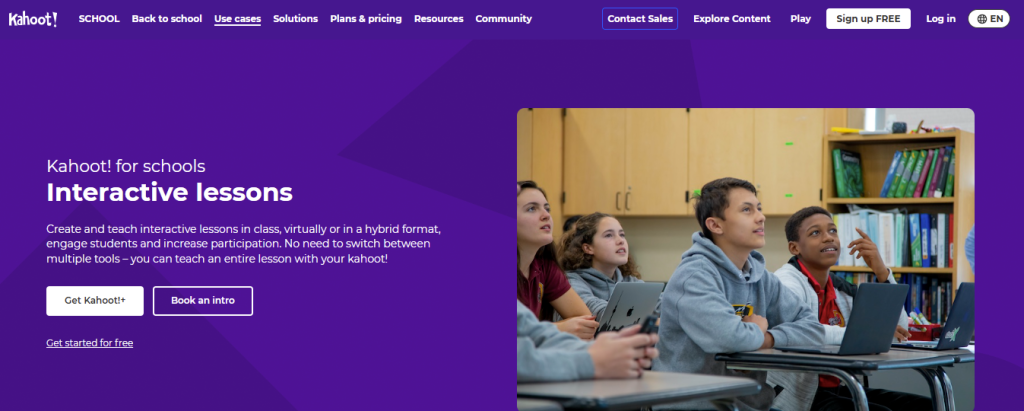
Kahoot! is a game-based learning platform that turns quizzes into fast, competitive sessions that keep students engaged. Teachers host questions on a shared screen, and learners join using a PIN from any device to answer in real time.
It’s one of the most flexible tools for teaching vocabulary across grades because you can create your own quizzes, remix templates, or pull from an extensive public library that already covers many subjects and levels.
Additionally, the timer and scoring prompt quick recall, which supports spelling drills and word recognition.
Key Features:
- Kahoot turns vocabulary checks into short, competitive games that keep even tired classes alert.
- It supports multiple-choice, true-or-false, and open-response questions to test meaning, form, and usage.
- You can build quizzes from scratch, use templates, or let AI help generate questions from topics or documents.
- Built-in language-learning modes and vocabulary-focused experiences support targeted word practice, not just generic trivia.
- Students can play live in class or use self-study modes for homework and review.
- Detailed reports show accuracy and speed so you can see which words and structures need reteaching.
- It works on phones, tablets, and computers via a browser, so almost any classroom setup can use it.
- There is an extensive public library of ready-made Kahoots that can save prep time for common language topics.
Pricing
Kahoot! offers a free plan with core features and limited participant capacity, which works for small classes or basic review. Paid individual plans typically range from about $3 to $9 per teacher per month when billed annually and include more players, study modes, and content options.
Education plans for schools and districts typically start at around $12 per teacher per month and include larger class sizes and advanced reporting.
Business plans start at about $19 per host per month and focus on training, branding, and analytics. One-time event passes are available for large sessions and cost approximately $250.
Quizlet
Quizlet is a web- and app-based study platform that earns its place among modern vocabulary tools by blending repetition, variety, and low-friction access.
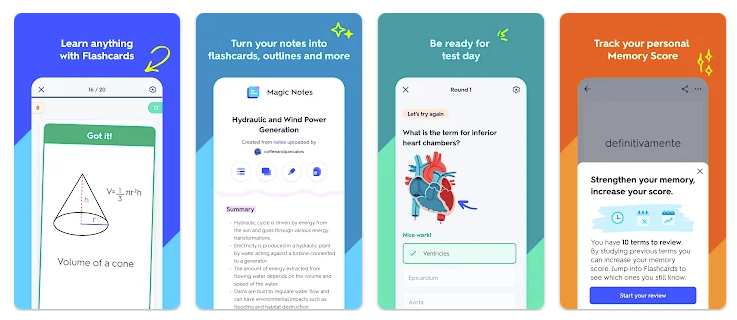
You can build your own study sets or draw from millions of existing ones, then let learners practice using modes such as Learn, Flashcards, Spell, Test, Match, Gravity, and Quizlet Live.
For vocabulary, this matters because students repeatedly retrieve meanings and spellings instead of staring at static lists, which supports long-term retention through spaced repetition.
Audio, images, and custom prompts make it worthwhile for language classes, ESL groups, and subject-specific terminology. Teachers can share sets with a link, run live games, or assign self-paced practice with minimal setup.
- Key Features
Quizlet lets you convert any vocabulary list into flashcards, quizzes, and games in a few minutes. - Multiple modes support different skills, including recognition, recall, spelling, and usage.
- Audio and image support make it effective for language learning and ESL classes.
- Students can study on phones, tablets, or laptops, which removes excuses about access.
- Learn mode adapts to student performance, so weaker items appear more often.
- Quizlet Live turns vocabulary review into a collaborative game, keeping attention on task.
- Teachers can reuse and adapt existing sets, reducing planning time for recurring units.
Pricing
Quizlet has a free tier that covers basic flashcard creation, some study modes, and access to many public sets, which is enough for simple classroom use.
Meanwhile, Quizlet Plus for individual users typically costs $7.99 per month or $35.99 per year. It unlocks features such as full Learn and Test modes, offline access, no ads, AI-powered tools, and richer media support.
Quizlet Plus for Teachers costs more per year. It includes classroom-specific tools, such as detailed student progress tracking and enhanced management features. Group and school plans offer discounted pricing for multiple teachers or larger deployments. Because promotions change, it is always safest to check current prices on the official site or in the app before subscribing.
Wordwall
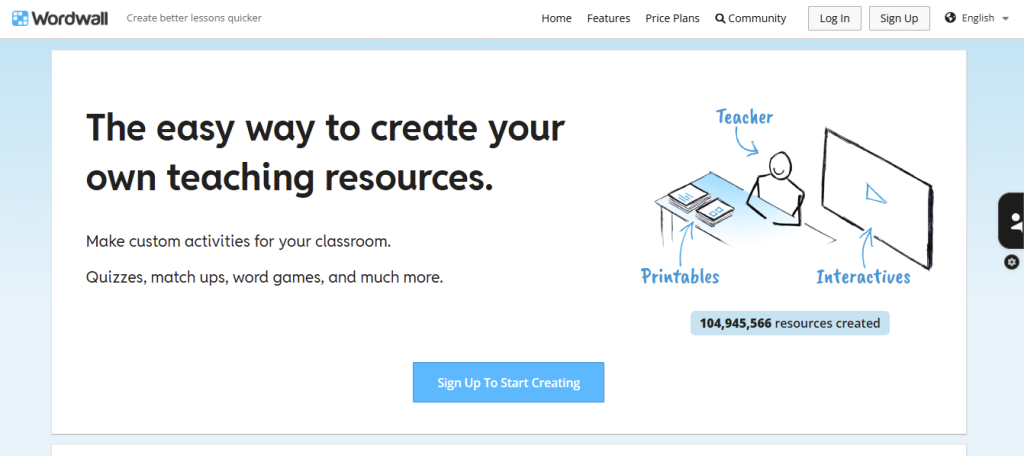
Wordwall is a classroom-friendly platform that turns vocabulary lists into interactive games and printable activities. You enter your content once, choose a template, and Wordwall handles the rest, saving time and mental energy.
It works exceptionally well for repetition, precisely what vocabulary learning requires. Matching, quizzes, and word searches help students connect words to their meanings rather than memorizing them in isolation.
The ability to switch between digital games and printable worksheets makes it practical for mixed tech classrooms. Teachers can reuse the same vocabulary set across different game types, increasing exposure without additional prep.
Key Features
- Wordwall lets teachers turn vocabulary lists into interactive games in minutes.
- Multiple templates allow the same words to be practiced in different formats.
- Printable worksheets support offline and low-tech classrooms.
- Visual matching activities improve retention of word meanings.
- Shared community resources reduce lesson prep time.
- Games can be reused across classes and school years.
- Simple controls make it easy for students to start without confusion.
Pricing
Wordwall offers a free plan that supports a limited number of active activities at a time, suitable for basic classroom use or testing the platform. Paid plans unlock unlimited activity creation, advanced customization, printable options, and additional features.
Pricing is typically $7 per month when billed annually, with higher tiers available for schools and organizations. Costs may vary by region and subscription length. Teachers should check the official Wordwall website for current pricing and plan details.
Wayground
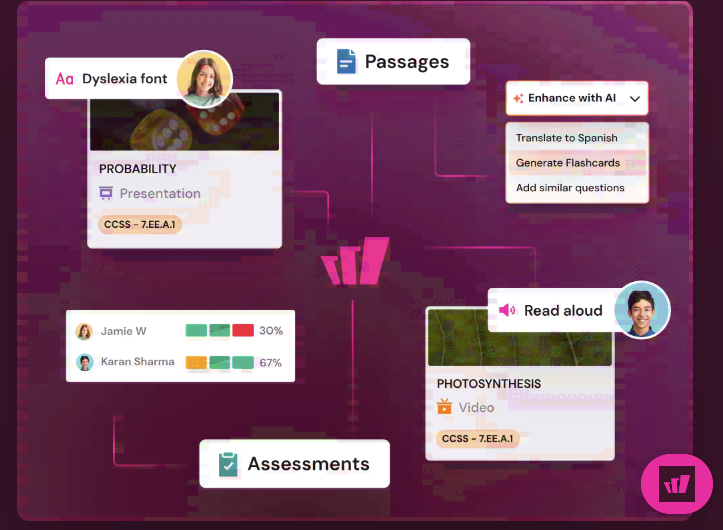
Wayground, formerly Quizizz, is built for teachers who want vocabulary practice that feels like a game but still produces usable data. It lets you run live sessions or assign self-paced practice, so students can review words in class and at home without changing platforms.
The best use case for vocabulary is repeated retrieval with quick feedback, especially for question types like fill-in-the-blank and multiple-choice that are tied to meaning and usage.
Wayground’s AI tools can generate or adapt activities from text and materials, reducing prep time when your word list changes weekly.
Accommodations such as a dyslexia-friendly font and other accessibility supports help you differentiate instruction without drawing attention to students who need them.
Key Features
- Wayground supports live and self-paced modes, allowing vocabulary practice in class or as homework.
- It helps teachers create or enhance AI-powered quizzes and lessons when time is tight.
- Reports show which words students miss, so reteaching is targeted instead of random guessing.
- Accessibility tools, such as dyslexia font support, help more learners without additional work.
- Question formats let you test meaning, spelling, and usage, not just recognition.
- Students can join from most devices with minimal setup, which reduces friction at the start of class.
Pricing
Wayground offers a free Starter plan designed for essential classroom use. Paid options include individual plans and school and district – level plans, with pricing that varies by region and setup. The company directs users to its plans page for specifics.
Third-party directories typically list a Standard tier at around $59 per user per month and a Premier tier at around $99 per user per month. Still, you should confirm the current pricing on Wayground before budgeting.
Lingowar
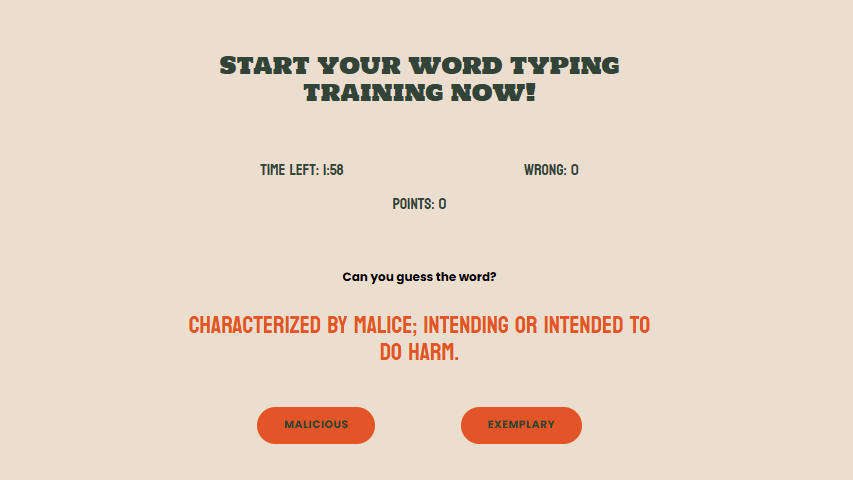
Lingowar is a browser-based vocabulary game built for speed, recall, and repetition. It treats vocabulary as a quick match rather than a long study session, which is precisely why learners keep playing. The core benefit is forced retrieval.
Players must recognize meanings, spell words, or choose correct usage under time pressure, which strengthens memory more than passive review.
Lingowar works best after words have been introduced, not as the first exposure. Teachers can use it as a warm-up, review activity, or short homework challenge without setup friction. Students receive immediate feedback, preventing repeated errors.
Key Features
- Lingowar trains fast vocabulary recall through short, competitive rounds.
- Repeated play increases exposure without feeling repetitive.
- Time pressure encourages genuine retrieval rather than guessing.
- Browser-based access removes download and device barriers.
- Short sessions are ideal for warm-ups, breaks, or quick reviews.
- Immediate feedback helps learners correct mistakes quickly.
Pricing
Lingowar is free for everyone, with no subscriptions or paid plans. Teachers, students, and self-learners can play without creating an account or entering payment information. All features are available at no cost, making it ideal for classrooms with limited budgets or for students practicing at home.
How to Choose the Right Vocabulary Tool for Your Students
The right choice depends on age, language level, and learning goals. A tool that works in one classroom may fail in another. Understanding your students helps you identify the best vocabulary-teaching tools for your teaching context.
- If you teach elementary
Elementary students need repetition, visual support, and short activities. Attention spans are limited, and motivation matters. Tools should feel playful without sacrificing learning.
At this level, vocabulary learning is most effective when words are paired with images, actions, and simple contexts. Young learners need multiple exposures to words in meaningful situations.
Tools for elementary classrooms share these traits:
- Short activity length
- Visual cues and audio support
- Simple instructions and feedback
Platforms like Wordwall and Kahoot! Works well when used consistently. Vocabulary activities for children should be brief and predictable, allowing students to focus on words rather than rules.
- If you teach middle school
Middle school students need both structure and autonomy. They respond well to competition, choice, and visible progress. Vocabulary tools should balance fun with accountability.
At this stage, students benefit from repeated retrieval and varied formats. Studies show that retrieval practice strengthens memory when paired with feedback.
Effective tools for middle school include Quizlet, Blooket, and Gimkit. These platforms enable independent practice while providing teachers with performance data.
Key considerations include:
- Clear learning goals
- Built-in feedback
- Opportunities for replay
Vocabulary activities for kids at this level should reinforce accuracy and usage, not just recognition.
- If you teach high school or adults
Older learners need relevance and efficiency. They want to know why words matter and how to use them correctly. Tools should support context, nuance, and application.
High school and adult learners benefit from vocabulary instruction that emphasizes usage in reading and writing. Deep processing improves retention more than surface-level practice.
Quizlet and Wayground work well when paired with reading or writing tasks. Lingowar can support recall but should be paired with sentence-level practice.
At this level:
- Context matters more than speed
- Definitions should include examples
- Practice should connect to real tasks
Vocabulary activities for kids still apply, but with higher expectations for accuracy and transfer.
- If you teach ESL
ESL learners face unique challenges. Vocabulary learning must support meaning, pronunciation, and usage simultaneously. Tools should reduce cognitive load and provide clear models.
Research from the TESOL International Association highlights the importance of repeated exposure across listening, speaking, reading, and writing.
Effective ESL vocabulary tools:
- Include audio pronunciation
- Provide example sentences
- Allow repeated practice without penalty
Common Mistakes to Avoid When Using Vocabulary Teaching Tools
Even strong tools fail when misused. The best tools for teaching vocabulary still require thoughtful implementation. Here’s how you can do it:
1. Using Games Without Instruction
Games reinforce learning. They do not replace teaching. Students need clear explanations before practice.
When games are used without context, students memorize answers rather than learn words. Vocabulary activities for kids work best after instruction, not before.
2. Overloading Students With Too Many Tools
More tools do not necessarily lead to better learning. Switching platforms increases cognitive load and reduces consistency. Teachers should select one or two tools and use them regularly. Vocabulary activities for kids improve when routines are stable.
3. Focusing Only on Recognition
Matching and multiple choice activities test recognition, not usage. Students must produce words in speech or writing.
Tools should be paired with sentence writing, discussion, or short responses. Vocabulary activities for kids should move from recognition to production.
FAQs
1. Which vocabulary tool is best for ESL learners?
The best option depends on whether learners need practice in meaning, pronunciation, or recall. Quizlet works well for ESL because it supports audio, repetition, and controlled exposure to new words. Meanwhile, Lingowar is effective after instruction, helping learners strengthen recall through short, focused game rounds.
2. Are vocabulary games effective for long-term retention?
Vocabulary games support long-term retention when they require repeated retrieval rather than simple recognition. Games encourage frequent practice because students are willing to replay them. For best results, games should follow instructions and be paired with writing or speaking tasks.
3. How many new vocabulary words should I teach per week?
Most classrooms benefit from teaching five to ten new words per week. This range allows enough time for repeated exposure, practice, and correction. Teaching fewer words deeply leads to better retention than teaching many words quickly.
4. How do I get students to use new vocabulary in writing?
Require students to use target words in short, structured writing tasks. Provide sentence models to reduce misuse and avoidance. Recycle the same words across multiple assignments to build automatic use.
Final Thoughts
Vocabulary learning improves when tools support repetition, recall, and context. The right platform saves time and increases engagement. The wrong one distracts. Choose tools that align with your students, your goals, and your classroom realities.
If you want to explore more practical strategies, examples, and tools for vocabulary learning, continue reading the latest blog posts on Lingowar.
![15 Daily Vocabulary Habits to Improve Your English Skills [Tips]](https://lingowar.com/blog/wp-content/uploads/2025/07/2.jpg)